Simplify Tools for Extraordinary Events
we bridge the gap between stunning Philippine venues and seamless digital coordination.
Explore how our smart technology empowers you to book, manage, and host with absolute confidence.
Client Account Management
This centralized profile empowers every business to maintain full control over its brand identity while efficiently managing bookings and delivering an exceptional experience to customers.
Reservation
This simplified process ensures a smooth and convenient experience for both customers and venue operators, helping to reduce manual coordination and improve booking accuracy.
Checkout
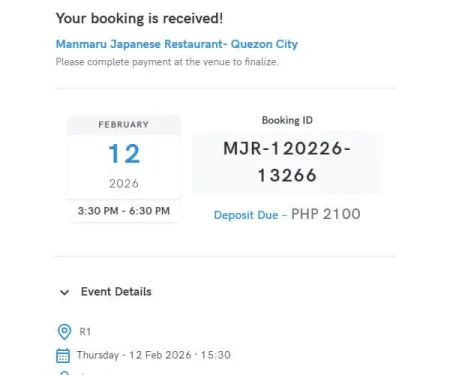
It displays the book id ID information, running total, and any applicable deposit or business rules.
Management Bookings
This ensures smoother coordination, improved customer service, and reliable event execution.
Client Account Management
Tenant/Client Profile
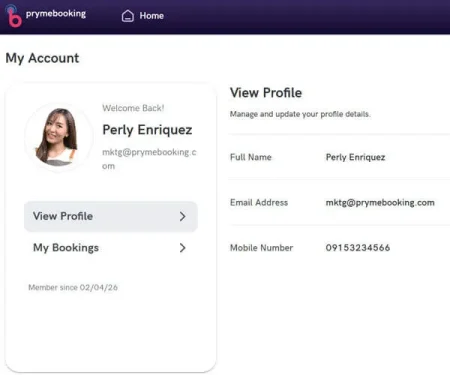
Prymebooking’s Client Account Management feature provides venue operators and service providers with a dedicated profile dashboard where they can manage their business information, spaces, and booking activities seamlessly.
This centralized profile empowers every business to maintain full control over its brand identity while efficiently managing bookings and delivering an exceptional experience to customers.
Reservation
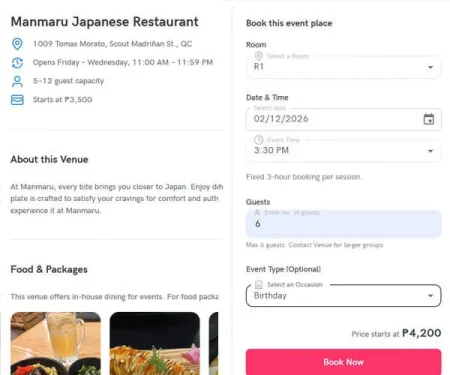
Date and Time, Select Room, Guest Details, Event Type
The Reservation feature allows customers to easily book their desired event or venue through a simple, guided process. Users can select a Room , choose their preferred date and time, Guest number and pick Event type.
They can then provide guest details and special requests to complete the booking. This simplified process ensures a smooth and convenient experience for both customers and venue operators, helping to reduce manual coordination and improve booking accuracy.
Checkout
Shows running total, details, deposit and business rules
The Checkout feature provides customers with a clear summary of their booking details before final confirmation. It displays the book id ID information, running total, and any applicable deposit or business rules.
Management Bookings
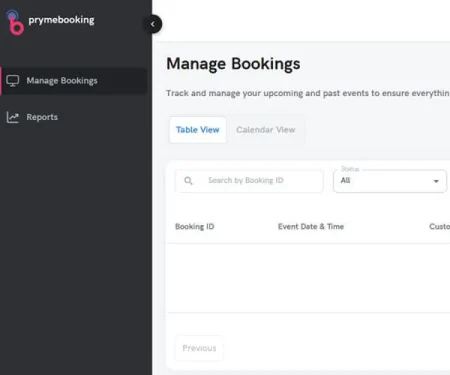
Monitor/ Record Retrieval/ Status Updates/ Approve, modify, or cancel and prints.
The Reservation Management feature enables venue operators to efficiently monitor, retrieve, and update reservation records in real
time. Through this module, staff can approve, add, modify, or cancel bookings, ensuring that all reservations are accurately tracked and up to date.
It also allows the branch to generate e-receipt, helping teams stay organized and prepared for every confirmed booking. This ensures
smoother coordination, improved customer service, and reliable
event execution.
Notification
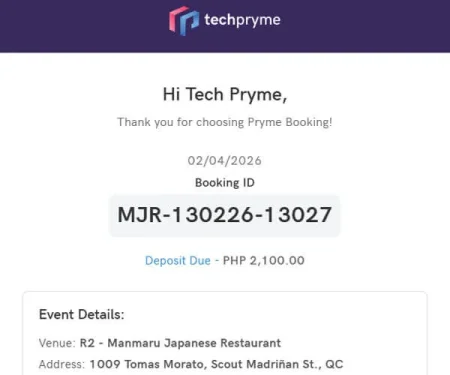
Issue Emails, Sends a reminder about the status of your booking.
The Prymebooking platform includes a robust, automated notification
system designed to reduce administrative overhead and improve the
accuracy of event planning for our clients. By automating key
communication touchpoints, the system ensures critical information is
collected on time without manual intervention.
Reports
Report types
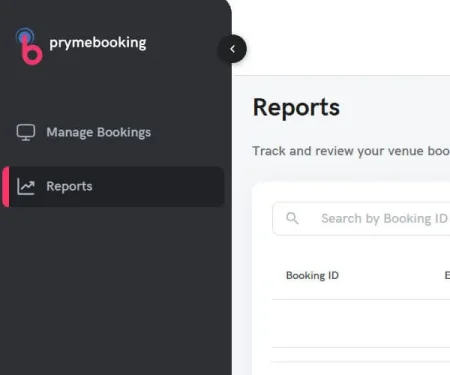
The Reports feature provides venue operators with valuable insights
into business performance. It offers various report types such as
booking id, event date, customer lists, room, status, total cost and
guest count.